1. Say what you need
Pick a service, or just write what is wrong and add photos. KaamLink works out which trade the words point at.
An Android app by Connectgo Infoware
Tell KaamLink what needs doing — a leaking tap, a dead switchboard, a wardrobe that needs building. Nearby professionals see your request, send you a price, and you pick the one you want.
The Android app is not on the Play Store yet. Want to be told when it is? Send us a message.
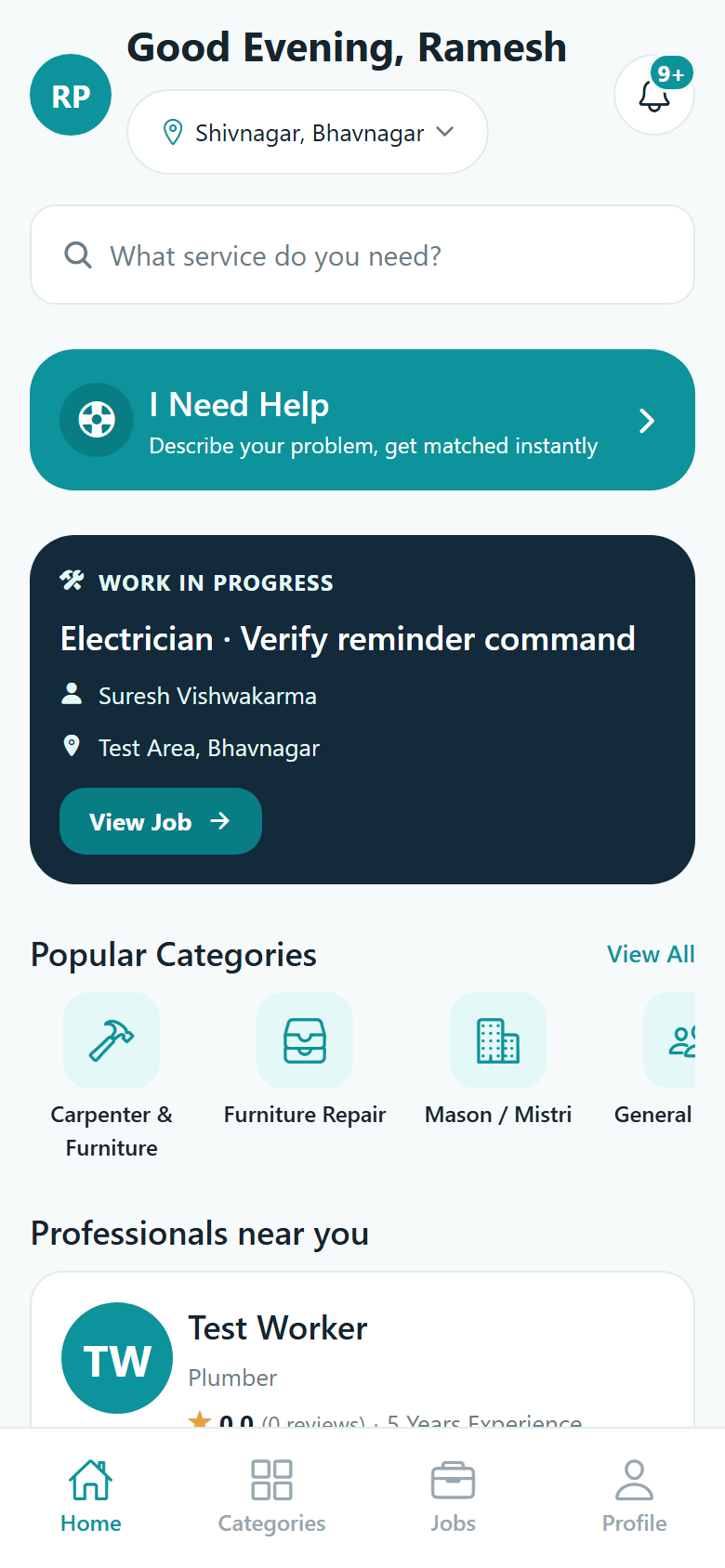
Two sides, one app
When you sign up you choose which side you are on, and KaamLink gives you the screens for that job and nothing else. A customer account and a professional account are genuinely different apps behind the same sign-in.
Search professionals near you and contact one directly, or describe the problem in your own words and let KaamLink put it in front of up to five nearby professionals who actually do that trade.
List the trades you take on and where you work from. Requests come to you — either from a customer who found you in search, or matched to you because the job is near you and in your trade.
How it works
Four steps on the customer side. The professional side runs alongside it, step for step.
Pick a service, or just write what is wrong and add photos. KaamLink works out which trade the words point at.
Send it to one professional you chose, or post it and reach up to five nearby professionals in that trade. You are told how many were notified.
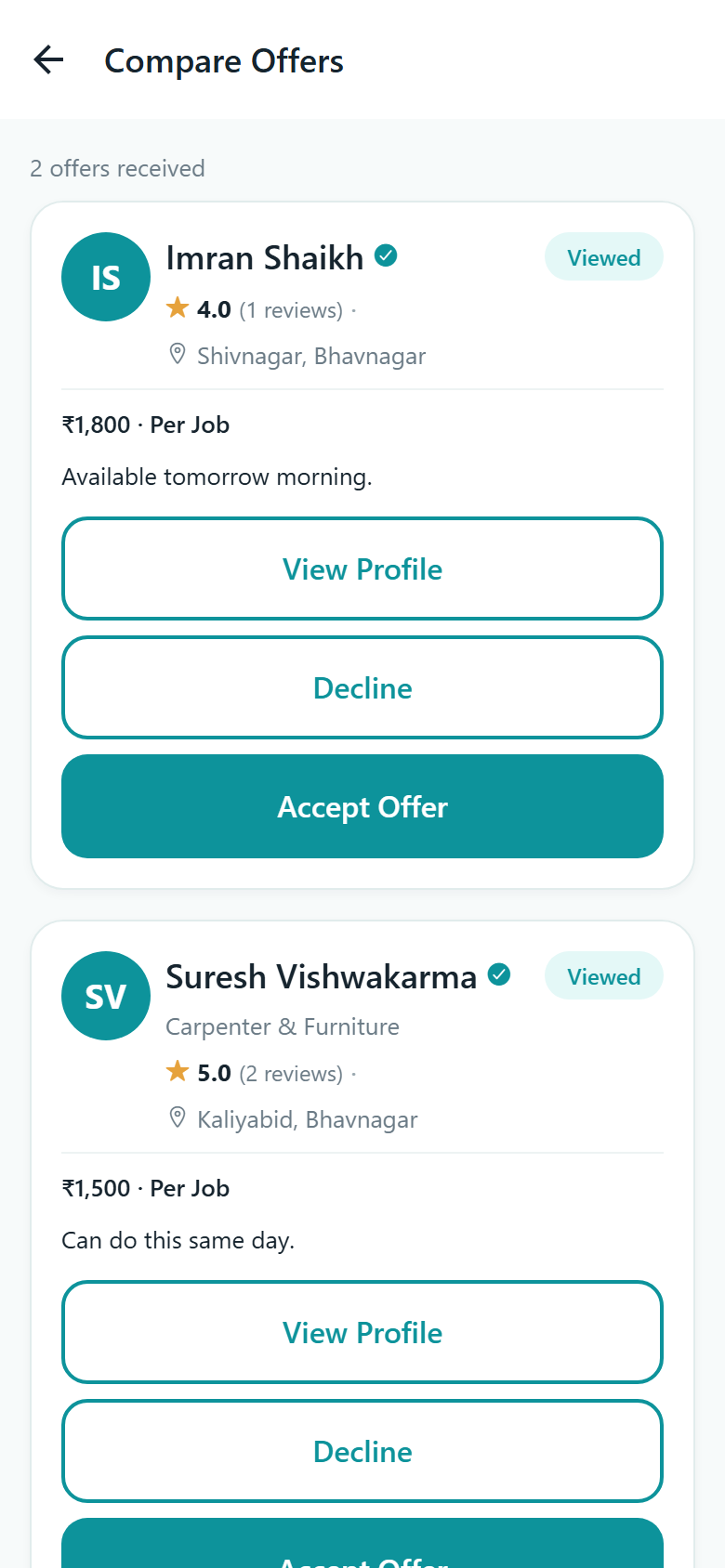
Each offer carries a price, how it is charged, the date they can come and a note. Accept the one you want and the rest are closed.
Chat opens on the job. The professional starts, finishes, sends photos and a final amount — and it is complete only once you confirm.
Services
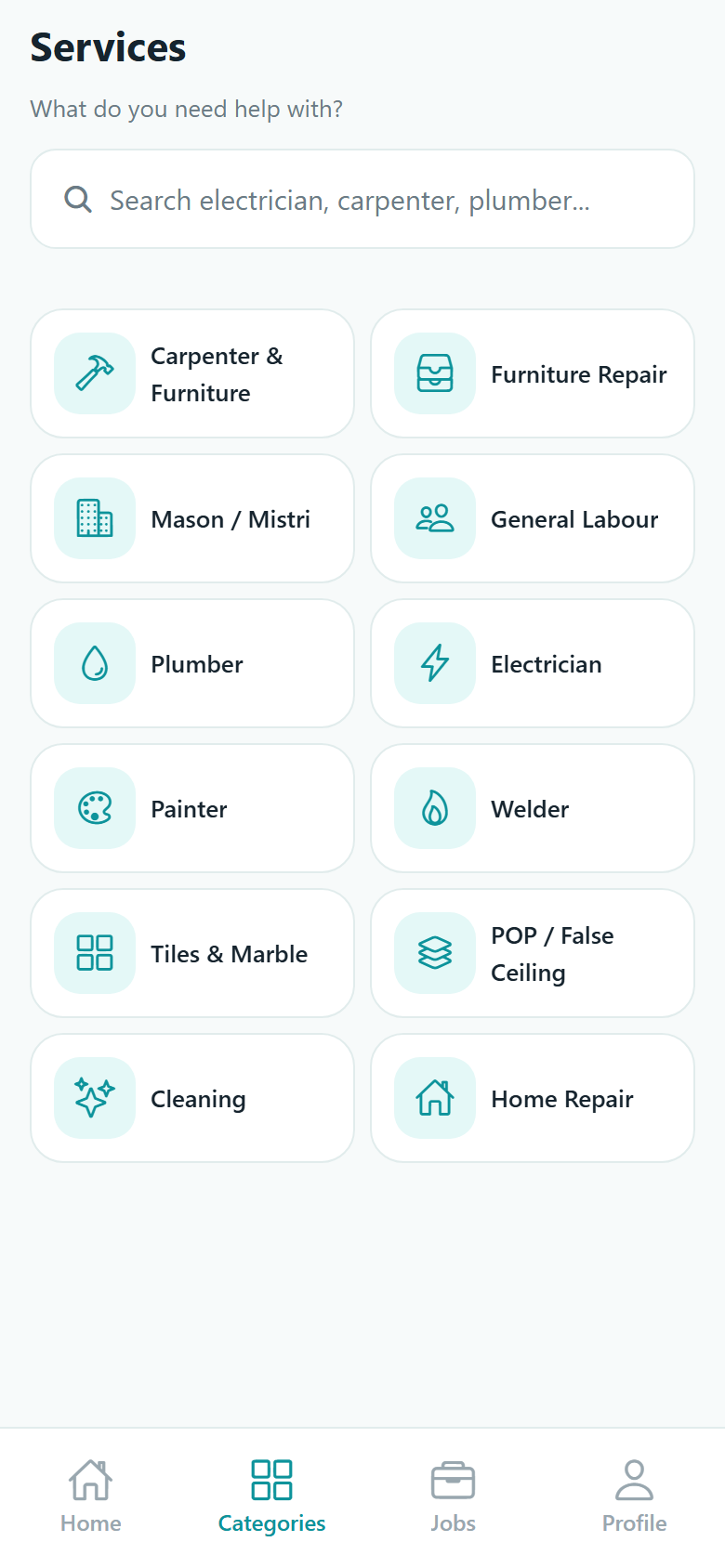
Twelve service categories, each one written out in English, Hindi and Gujarati inside the app. Connectgo adds more as professionals join.
Custom wooden furniture, wardrobes and modular kitchen work.
Repair and polishing of beds, sofas, chairs and cupboards.
Brickwork, plastering and general construction masonry.
Helpers for loading, shifting, digging and site clean-up.
Taps, pipelines, bathroom fittings and leakage repair.
Wiring, switchboards, fans, lights and inverter work.
Interior and exterior painting, putty and texture work.
Grills, gates, railings and metal fabrication work.
Floor tiles, wall tiles, marble and granite fitting.
POP, gypsum and false ceiling design and installation.
Deep cleaning of homes, offices, water tanks and sofas.
Small everyday repairs and odd jobs around the house.
What is in the app
No payments pass through KaamLink and nothing is booked on your behalf. What the app does is make the introduction, carry the negotiation and keep an honest record of it.
A posted job reaches professionals inside your search radius who are also willing to travel that far. The default is 10 km, and search can widen to 50 km when nobody is closer.
Every offer carries an amount, how it is charged — per visit, per hour, per day, per job or after seeing the site — a date, and a note. Nothing is ranked by who paid for placement.
Once someone is hired, a chat opens on that job for text and photos, updating live. It is not open messaging — there is nobody to talk to until a professional has been chosen.
The professional sends a final amount, a note and photos of the finished work. The job waits there until you confirm it, or send it back with what still needs doing.
One review per job, only from the person who actually hired. A professional's average is recalculated from every review they have, so it cannot drift.
A verified badge means one thing: Connectgo's team reviewed an identity or trade document and accepted it. It is not a background check, and it is not required to receive work.
Three languages
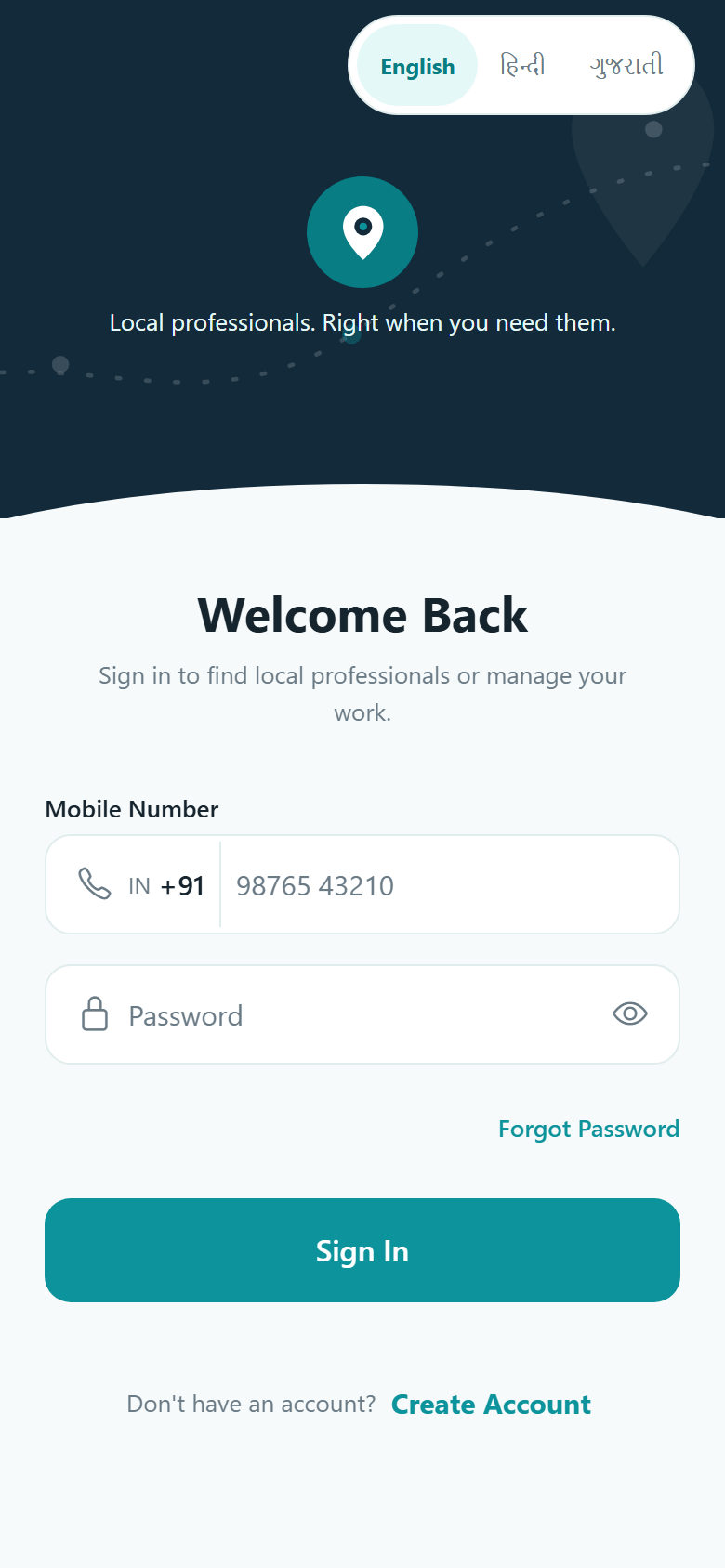
English, Hindi and Gujarati — all three translated in full, not just the buttons. Service names, job updates and the notifications the app sends you all arrive in the language you picked.
You choose your language on the very first screen, and you can change it any time from your profile. The choice is saved to your account, so a new phone picks up where you left off. Read more about how the app handles language.
Inside the app
Sign in with your mobile number and a six-digit PIN, then either browse for a professional or post what you need. Here are three of the screens you will spend the most time on.
Worth being clear about
There is no wallet, no online payment and no commission. The amounts you see are a shared note of what the two of you agreed. Payment is settled between you, off the app.
KaamLink never picks a professional for you. It notifies people nearby, and you choose from whoever replies.
The job is an agreement between you and the professional. There is no insurance, no warranty and no refund scheme — Connectgo is the introduction, not a party to the work.
Nothing more. It is not a police check or a skills test, and unverified professionals receive the same requests as verified ones.
The app is Android only and is being prepared for release. Tell us whether you need work done or you do the work, and we will keep you posted.