This is the full list, grouped by what you are trying to get done. Every item here is
something the app actually does today — if something is missing from this page, it is
missing because it is not built, not because we forgot to mention it.
Getting the right job in front of the right person
Everything here runs on real distance between two map points — the customer's location
and the spot the professional works out of.
A searchable service catalogue
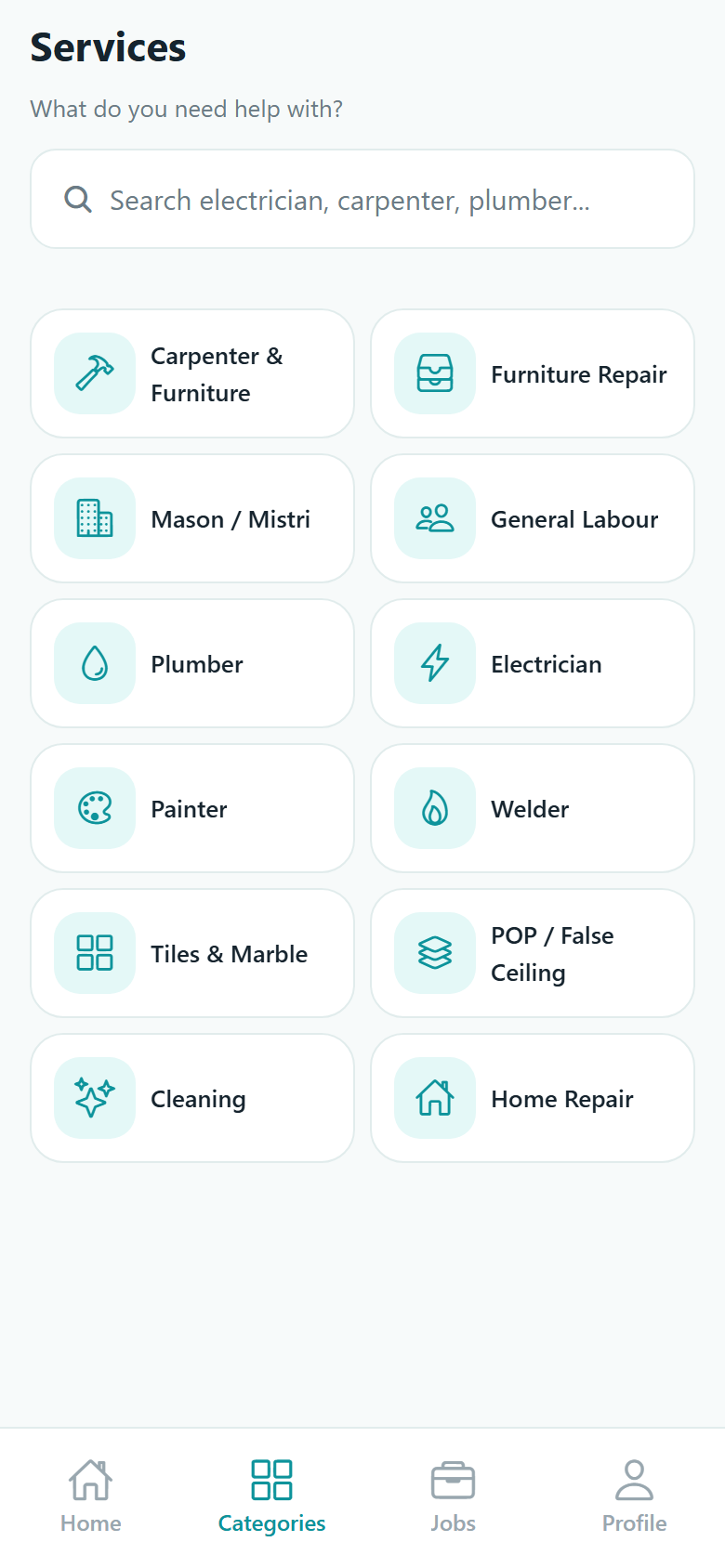
Twelve trades to start with — carpentry and furniture, furniture repair, masonry,
general labour, plumbing, electrical, painting, welding, tiles and marble, POP and
false ceiling, cleaning, and general home repair. Each one is named in your own
language, and a search box filters the grid as you type.
Search with filters that mean something
Free text, a service, a distance from 1 to 100 km, a minimum star rating, and an
available-now filter. Sort by nearest, best rated, most experienced, most jobs
completed, or price. Results load twenty at a time as you scroll.
The search widens instead of failing
If nobody is inside the distance you picked, the app widens the search in steps up to
the maximum rather than showing you an empty screen — and it says on the screen that
it did so, with the distance it actually used.
Distance-based matching, both ways
A posted job reaches a professional only if the job is inside the customer's search
radius and inside the radius that professional set for themselves. They also
need an active listing for that exact trade — there is no fuzzy fallback to a
neighbouring one.
Ranking that does not shut new people out
Within a distance band, being marked available, being verified, a higher rating and
more completed jobs push a professional up the list. None of those is a filter, on
purpose — a professional with no jobs yet still gets sent requests, or nobody could
ever earn a first review.
Profiles with real proof
Trade, years worked, service radius, what they charge to start and how they charge
it, photos of finished jobs, and the written reviews customers left after completed
work. A Verified tick appears when Connectgo has checked a document.
Saved and previously hired
Tap the heart on anyone you want to keep. A second list is built from your own
completed jobs, so the electrician who did a good job last time is one tap away —
Request Again pre-fills the trade and the location.
Availability and time off
A professional sets a Sunday-to-Saturday schedule with hours, plus time off for a
day, until a date, or a holiday range. Someone outside their own working hours is
skipped when a job is matched, and the quick Unavailable button books exactly seven
days and names the end date.
A dashboard that adds up
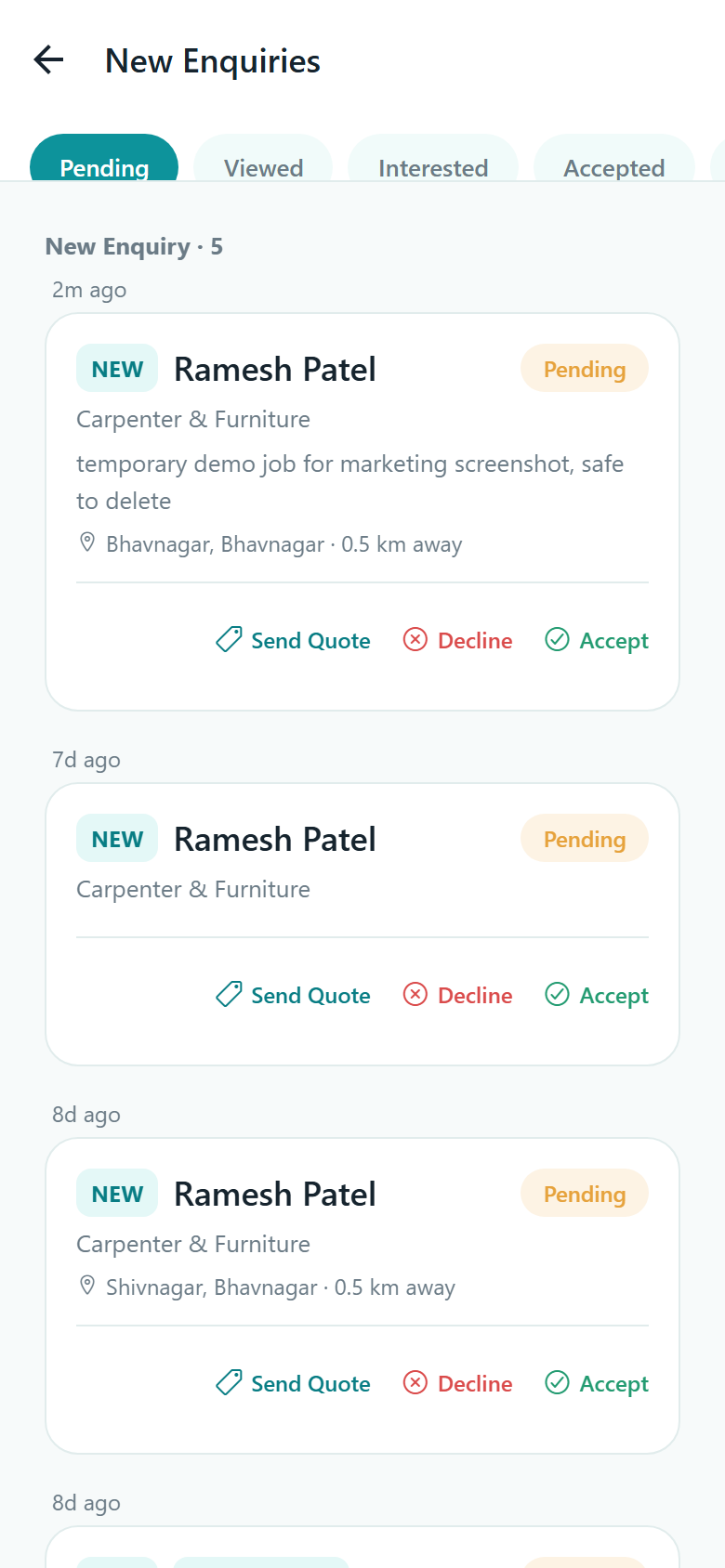
Professionals open on four counts — new enquiries, active jobs, completed jobs and
star rating — each one tapping through to the list behind it, plus a single switch
for whether they are taking work right now.
Sending a request
Two ways to ask, and you choose which
KaamLink never decides who does your job. It either carries your request to the one
person you picked, or puts it in front of a small shortlist.
Direct. Send it to one professional from their profile, and only they are notified.
Posted. Send it with nobody attached and up to five nearby professionals who offer that exact trade are notified. The confirmation screen shows the real count.
Describe the problem. Write what is wrong in plain words, add photos, and the app matches your sentence against the service list. Nothing is sent until you look at the suggestion and agree — and this is straightforward word matching, not AI.
Photos. Up to ten on a request. A photo that fails to upload is reported as a notice; it never throws your request away.
Budget and date. Both optional. A budget range and a preferred date, checked so the date is not in the past and the maximum is not below the minimum.
No duplicates. Each request form carries its own id, so tapping send again after a dropped connection returns the job you already posted rather than making a second one.
There is no rate card and no fixed price list. A professional quotes for the job in
front of them, and the customer compares what comes back.
A quote is a real offer
An amount, the date and time they can come, roughly how long it will take, and a note
to the customer of up to 500 characters. A professional holds one live quote per job
and can revise it while the job is still open.
Five ways to charge
Per visit, per hour, per day, per job, or on inspection — which is the honest answer
when a price cannot be given until somebody has seen the work. The rate type is shown
next to the number, so you are comparing like with like.
Offers side by side
Two or more live offers on a posted job open the compare screen: the price and rate
type, the date, the note, and each professional's rating, reviews and distance.
Nothing is ranked by who paid for placement, because no such thing exists.
Accepting closes everything else
Accepting a quote records the agreed amount, assigns the job, and expires every other
quote and every open request on it in one go. If someone got there first you are told
plainly that the job is gone, rather than the tap quietly failing.
First accept wins, cleanly
Several professionals can be looking at the same request in the same second. Exactly
one is assigned; the others get an immediate "already taken" and nothing is left half
written. Everyone who lost is notified.
Dead requests do not linger
A request nobody answered on a still-open job expires after seven days, so a
professional's inbox does not silt up with leads that went nowhere and a customer is
not left thinking someone is still considering it.
KaamLink takes no payment and holds no money. The amounts on a job are a shared record of
what the two of you agreed — paying happens directly between you, off the app.
Messages and notifications
You hear about the things that matter
Chat is attached to a job and opens only once someone is hired. Notifications cover
every real event, in the language you chose.
Job chat. One thread per job, between the customer and the professional who took it. Anyone else simply has no thread to open.
Text and photos. One picture per message, shrunk on your phone before it is sent. Tap any photo to see it full size.
Live, not on refresh. Messages, status changes, new quotes and new requests all arrive as they happen over the app's own realtime connection.
Honest unread counts. Opening a thread marks it read, so the badge on your home screen means what it says.
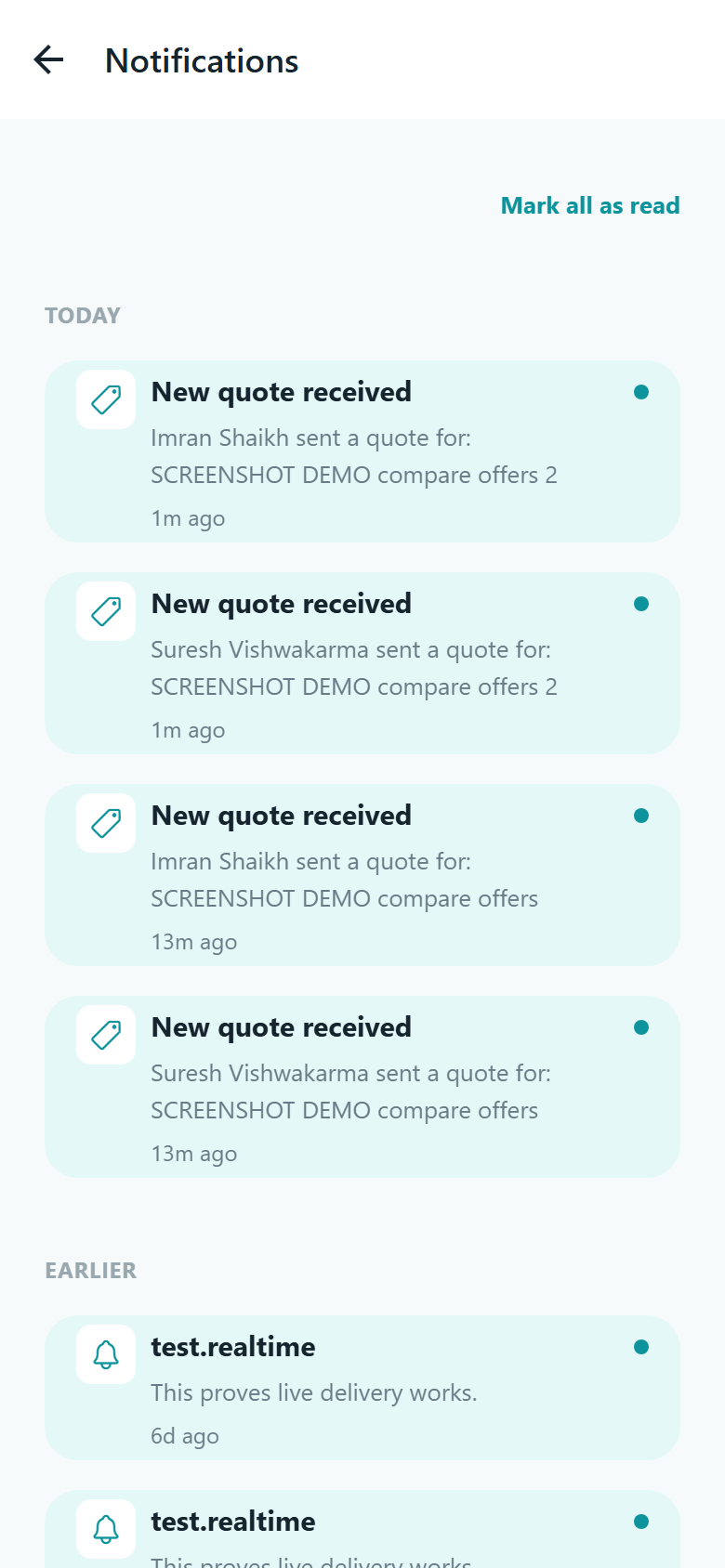
Push for every real event. A request arrives, a quote lands, one is accepted or declined, work starts, completion is requested, a date is proposed, a job is cancelled, a review comes in — and a reminder when a job is waiting on you.
Tapping takes you there. Every notification opens the exact job, offer or conversation it is about, and is kept in a list so nothing is lost behind a dismissed banner.
Calling is a handoff. The Call button opens your own phone dialler, and only when the other person has chosen to share their number. The app makes no calls itself and never reads your call log.
Notification centre
Running the job
From accepted to finished, with a record of each step
A job moves through a fixed set of states, and every move is written down with who made
it and when. Nothing changes status quietly.
A dated timeline on every job
Posted, accepted, started, waiting on the customer, completed — or cancelled, which
is reachable from any active state. Each transition adds a line to the job's history
naming who did it, and both sides see the same list.
Rescheduling is a proposal
Either side can suggest a new date and time with a note. The job's date moves only
when the other person accepts. Proposing again replaces the pending suggestion, so
there is never more than one live request and never an argument about what was agreed.
Start work is an explicit tap
The professional marks the job started when they are on site, and the customer is
told. It takes two seconds and it settles the most common disagreement there is about
when a job actually began.
The customer confirms completion
The professional submits the agreed amount, the final amount, a note and photos — and
the job waits. Only the customer's confirmation completes it. Reporting an issue
sends it back to in progress with the reason recorded. A job that sits waiting gets
one reminder, and is never completed automatically.
Photos of the finished work
The professional attaches photos when they mark the job done, and they are stored
separately from the customer's original request photos. They are the account of what
was left behind if anything is queried later.
Cancelling with a reason, from either side
Plans changed, no longer needed, the professional is unavailable, could not make
contact, posted twice, or something else — and "something else" makes the note
compulsory. The other person is told which reason it was and who cancelled. A
cancelled job can be posted again with the details already filled in.
Jobs grouped the way you think
Customers get Active, Upcoming, Completed and Cancelled. Professionals get those plus
Assigned, In progress and Waiting for confirmation, with upcoming work bucketed into
overdue, today, tomorrow, this week and later.
Addresses you save once
Home, work, a site — labelled, filled from your current position or typed by hand,
with one set as the default so you are not retyping it on every request.
Navigate to the job
From the professional's job list, one tap opens the device's own maps app at the
job's location. A job with no coordinates says so rather than hiding the button with
no explanation.
One page per job
Everything about a job, in one place
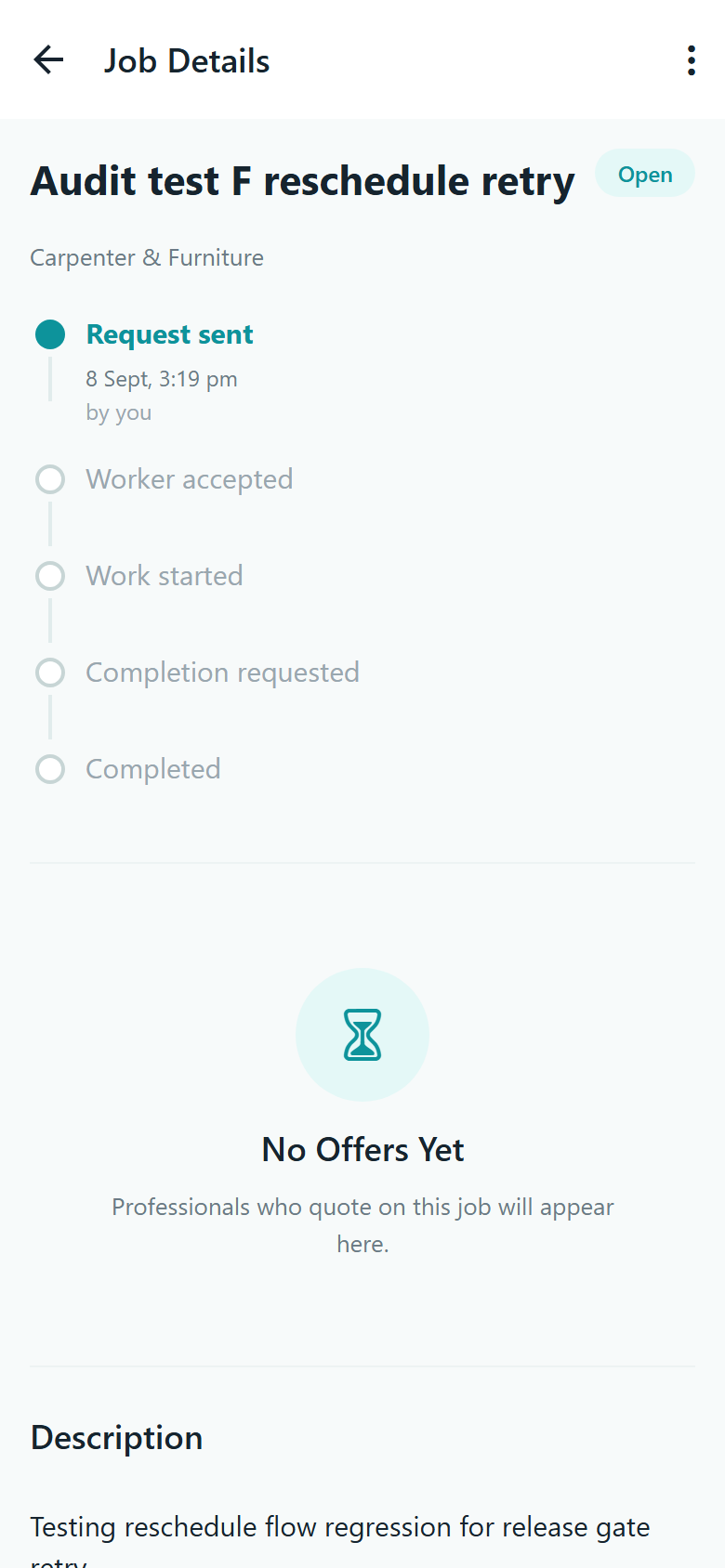
The job page holds the description and photos, the service, the location, the
preferred date, the budget range and the agreed amount, the assigned professional,
the timeline, and whatever action makes sense right now — and nothing that does not.
Your exact location and both phone numbers are released only to you and the professional you hired.
Anyone who was merely invited sees your area and city and a rough position, never your doorstep.
Photos on a job are served through short-lived private links rather than an open address anyone could pass around.
Job detail
Trust, safety and privacy
What we check, and what we do not
We would rather describe this exactly than make it sound bigger than it is.
What "Verified" actually means
A professional supplies one identity or trade document and a person at Connectgo
reviews it. If it is accepted, a tick appears next to their name wherever customers
see them. That is the whole claim. It is not a background check, not a police check,
not a criminal-record search and not a skills assessment. Verification is also not
required to receive work — it is one of the things that ranks a professional higher,
not a gate.
Reviews that had to be earned
One review per job, from the person who actually hired and paid, and only after the
job was completed. One to five stars with an optional comment. The rating on a
profile is recalculated from every review each time, so it can never drift away from
the truth.
Reporting, with real reasons
A report option sits on the job page and on a professional's profile. Customers can
report that nobody arrived, that they cannot make contact, a problem with the work,
a price that was not as quoted, or unsafe behaviour. Professionals get their own list
covering an absent customer, a job that was not as described, an unsafe site or
abusive behaviour. Reports go to Connectgo for a person to look at — filing one has
no automatic effect on anybody.
Private feedback about a customer
After a completed or cancelled job a professional can answer four yes-or-no questions
— was the customer there, was the job described accurately, was the site safe, were
they treated respectfully — plus a note. The customer is never shown it and never
told it was written. It is not a public score and there is no rating for customers.
Contact details stay closed until they need to open
Phone numbers are released only between a customer and the professional they hired,
and a professional's number appears only if they switched on phone contact. Job
photos and chat photos sit on private storage behind links that expire; portfolio
photos and profile pictures are public by design, because that is what they are for.
No tracking, no analytics, no ads
Location is read once, in the foreground, when you ask the app to use it — there is
no background location and nothing follows anyone during a job. The app carries no
analytics SDK, no advertising id, no crash-reporting service, and it never asks for
your contacts, your calendar or your microphone.
Language and access
Three languages, properly
Not a half-translated interface with English underneath. Each language carries 770
translated strings, and the words that come from our servers — service names, job
updates, notifications, even error messages — arrive already translated.
EnglishEnglish
हिन्दीHindi
ગુજરાતીGujarati
Choose your language on the very first screen, before you even have an account.
Switch later from your profile. Everything on screen changes over straight away, and the app re-fetches what came from the server so nothing is left in the old language.
Your choice is saved to your account, so a new phone picks up where you left off.
New service categories an administrator adds are translated automatically, with checks that reject a bad translation rather than publishing it — for example, a Gujarati name that came back without Gujarati script in it.
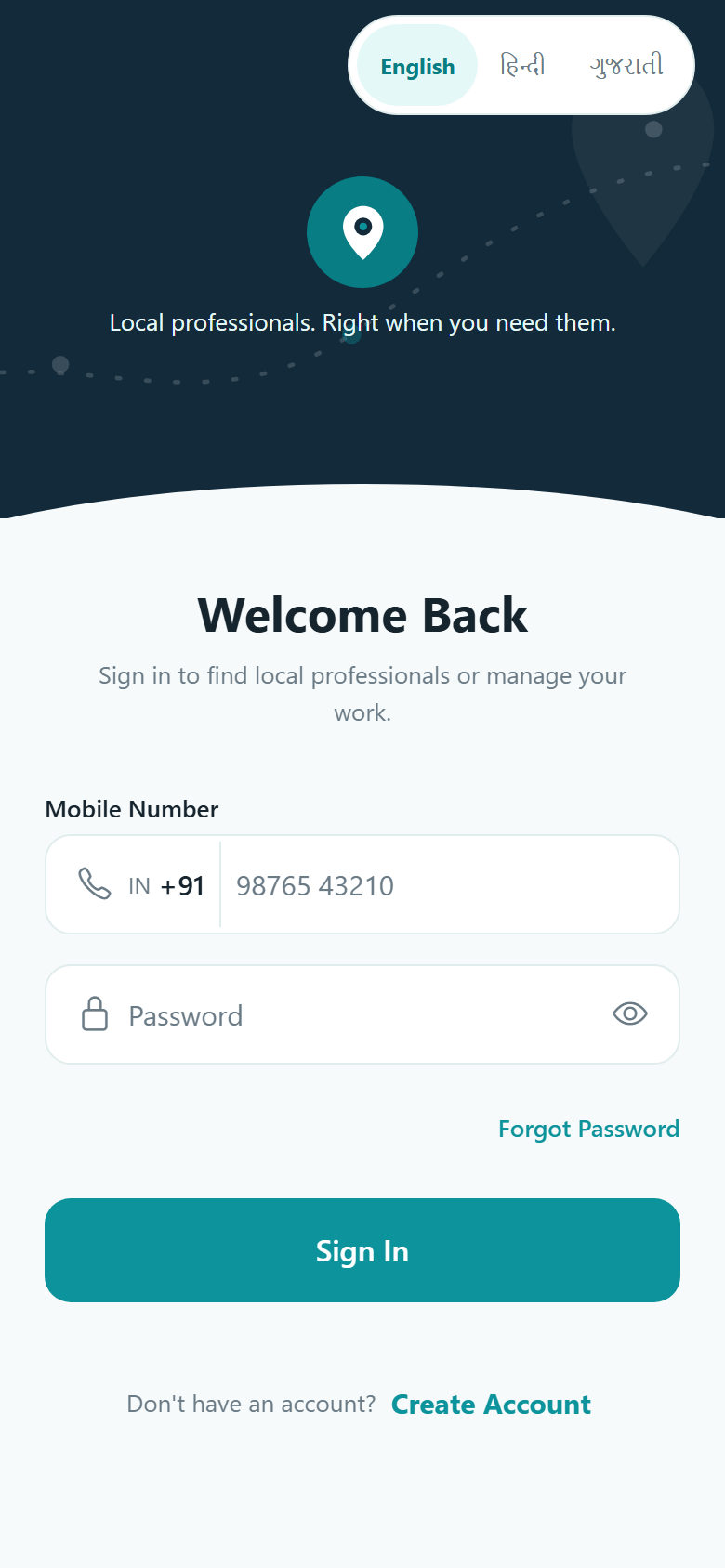
Sign in, with the language switcher
3languages, fully translated
770translated strings in each
10 kmdefault matching radius
5professionals notified per posted job
Your account
Signing in, staying in, and leaving
A number and a six-digit PIN
That is the whole account. No email address is collected, there is no OTP or SMS code,
and there is no sign-in with Google, Facebook or Apple. One mobile number is one
account, and you can be signed in on more than one device.
A forgotten PIN is fixed by a person
There is no reset link and no reset code. The app hands you Connectgo's support email
and phone number, we confirm who you are, and you are issued a temporary password that
the app then asks you to change. Slower than a link, and much harder to abuse.
Deleting your account, and changing your mind
Profile, then Account Settings, then Delete My Account. You retype your PIN, the
account is frozen at once and you are signed out everywhere, and the data is erased
30 days later. Within those 30 days you can restore it from the sign-in screen with
the same number and PIN. Settle or cancel any open job first — it belongs to somebody
else too.
Sessions you can lose safely
Sign-in tokens are stored in your phone's own secure keystore, and the longer-lived
one is only ever kept on our side as a one-way digest that cannot be turned back into
a token. Repeated wrong PINs on a number are throttled.
Updates that do not strand you
The app asks our servers whether it is too old to keep working, and shows a message we
can edit rather than failing in a way nobody can explain. There is also a maintenance
mode for the rare window when work is happening.
Android, and only Android
KaamLink is an Android app. There is no iPhone version and no browser version for
customers or professionals. If that changes, this page changes with it.
Something you expected to see here?
If a feature you need is not on this page, it is not in the app yet. Tell us what you
were looking for — that is how the list gets longer.